
MacDrop: The top of your screen, made useful.
Move the pointer to the top of your screen, where the notch is, and MacDrop opens: clipboard, music, calendar, AI limits and timers, without leaving the window you’re in.
Buy MacDrop · $10$1with your YoIndie code · if you bought by 31 Dec 2026Pay once · macOS 14+ · Apple silicon and Intel
What it does
Everything you check all day, one hover away.
Thirteen tabs, and you choose which ones show. Open MacDrop from the top of your screen, with ⌃⌥M, or from the menu bar.
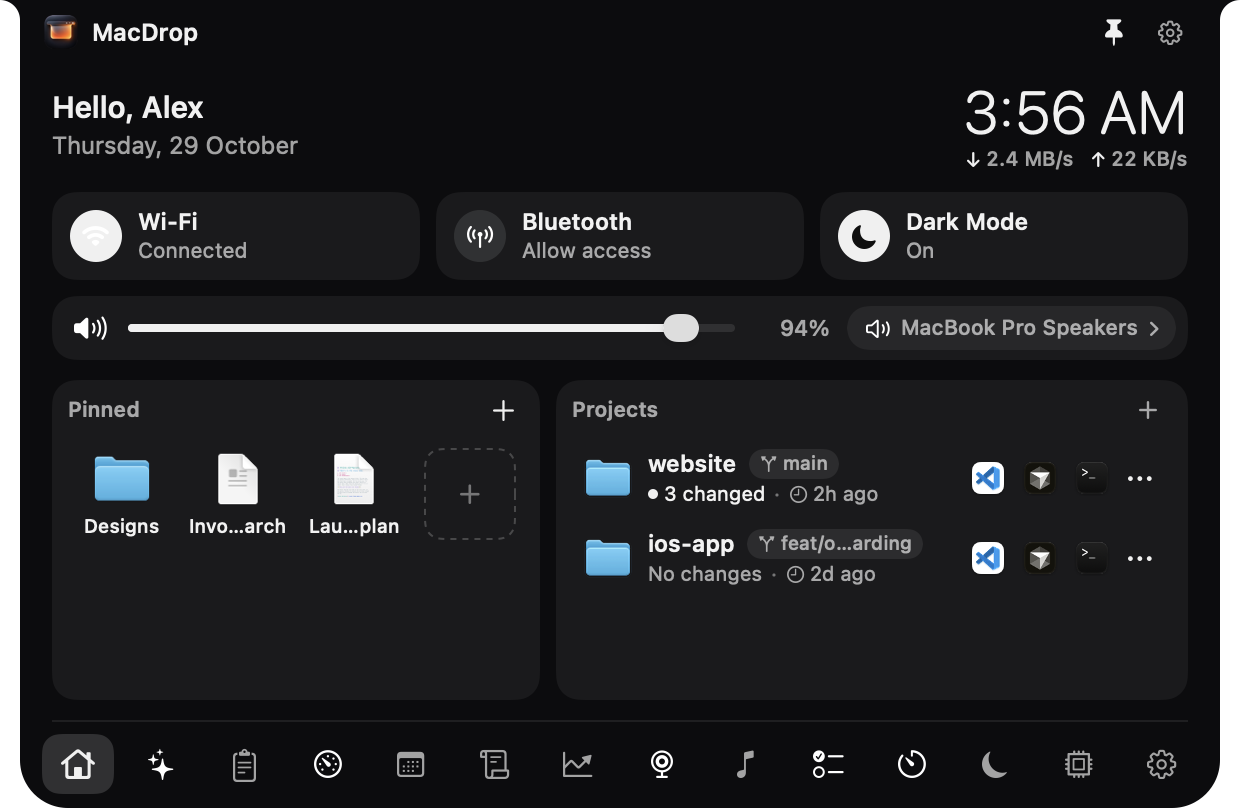
Home
The things you reach for all day, in one glance.
- The time, a greeting and live network speeds
- Wi-Fi, Bluetooth and Dark Mode switches, volume and the output device
- Up to 8 pinned files, apps or links, and your git projects with their branch and changes
AI Usage
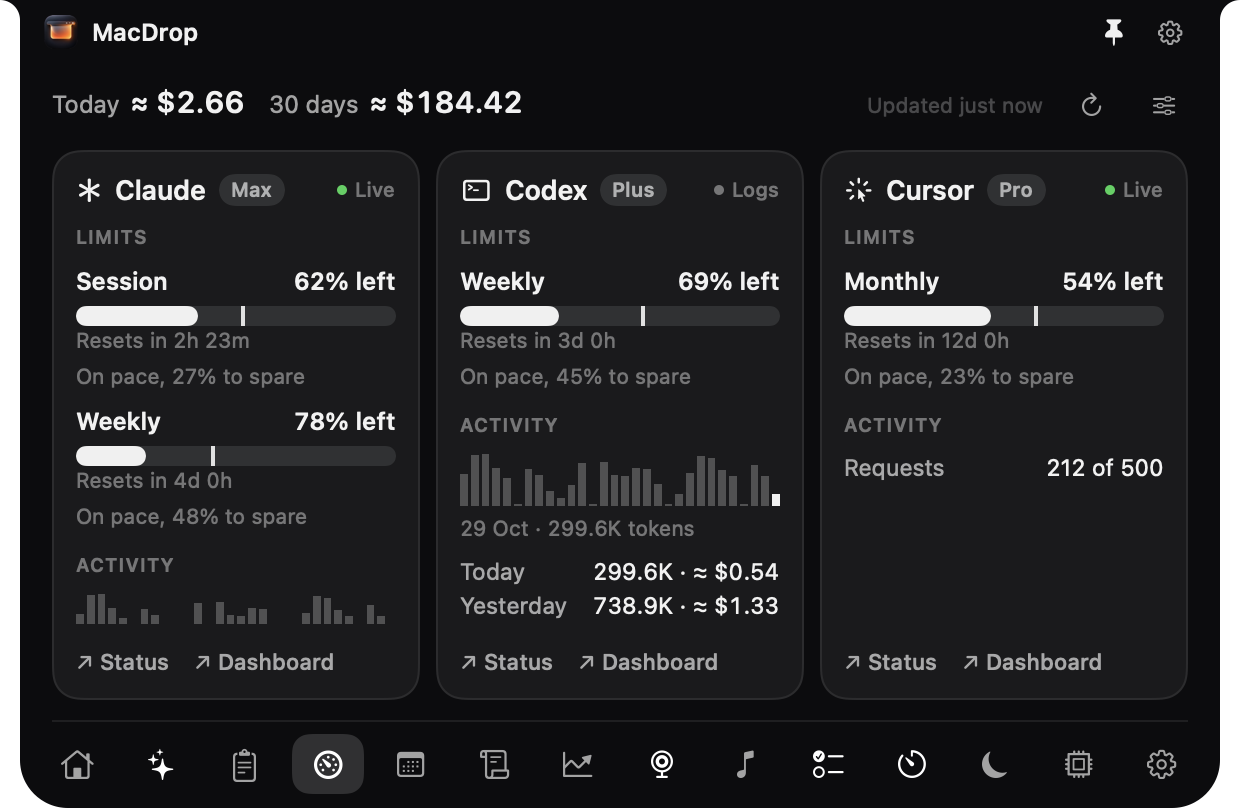
How much of your AI plans you have left, before you run out.
- Limits, pace and cost for Claude Code, Codex, Cursor, Gemini CLI, OpenCode, Ollama and OpenRouter
- Uses each tool's own sign-in, with nothing to set up
Clipboard
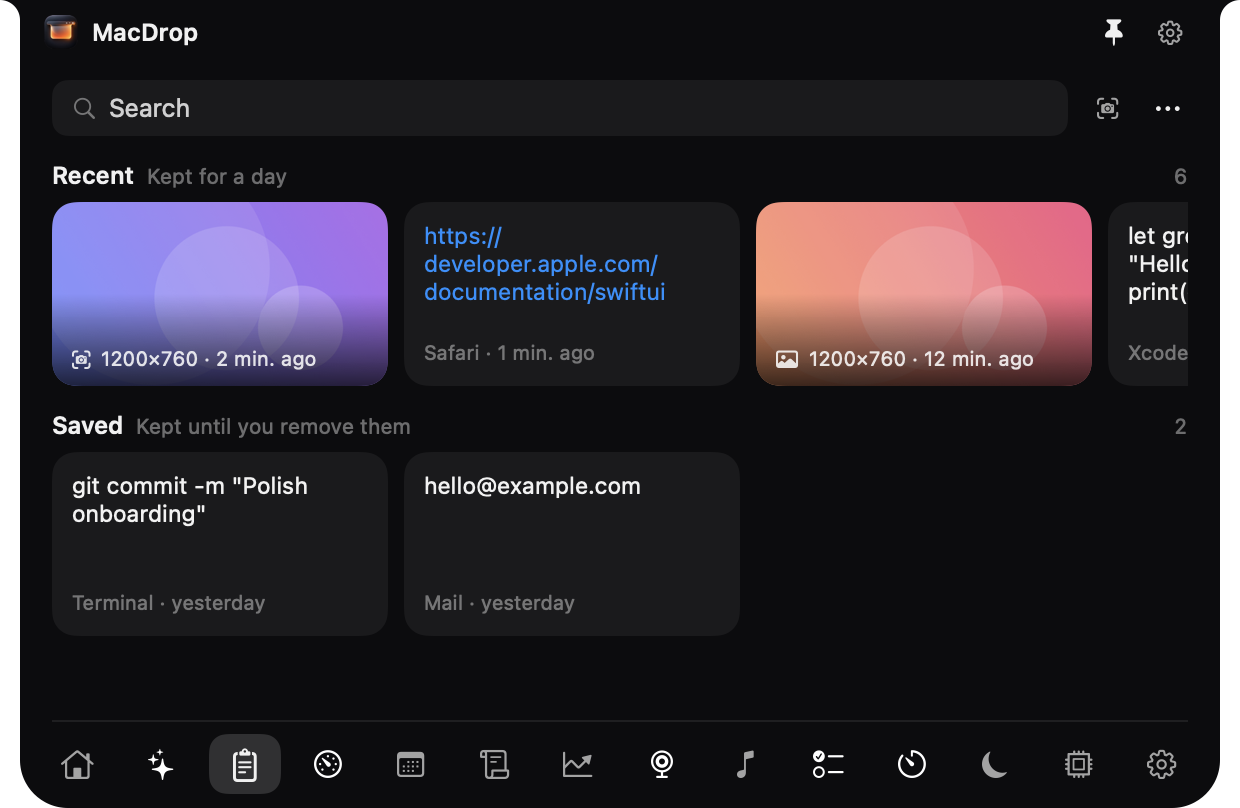
Everything you copied, and every screenshot you took.
- Text and images, the last day under Recent and what you keep under Saved
- New screenshots appear as you take them
- Click a card to copy it again
Off until you turn it on. What password managers mark private is never kept.
Calendar
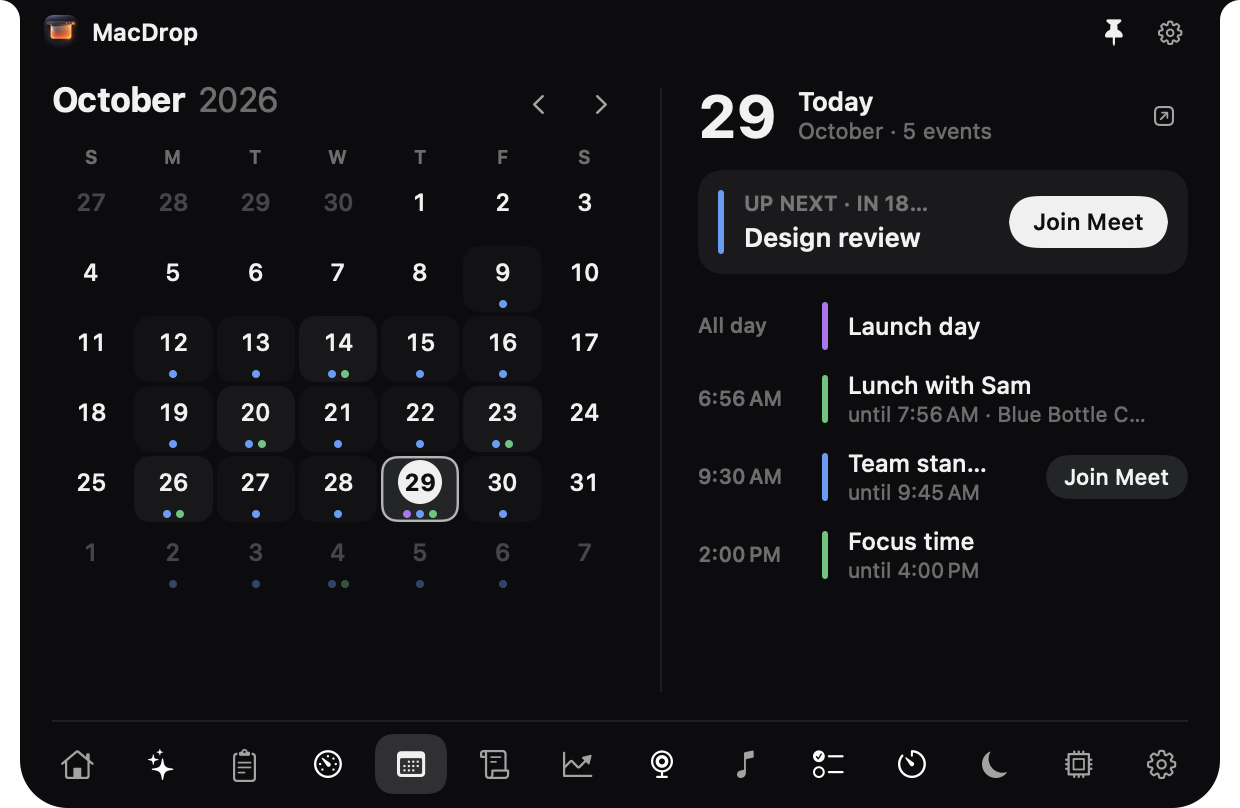
Today's meetings, and one click to join them.
- A month grid with today's events
- Join buttons for video calls
- Reads your calendars and never changes them
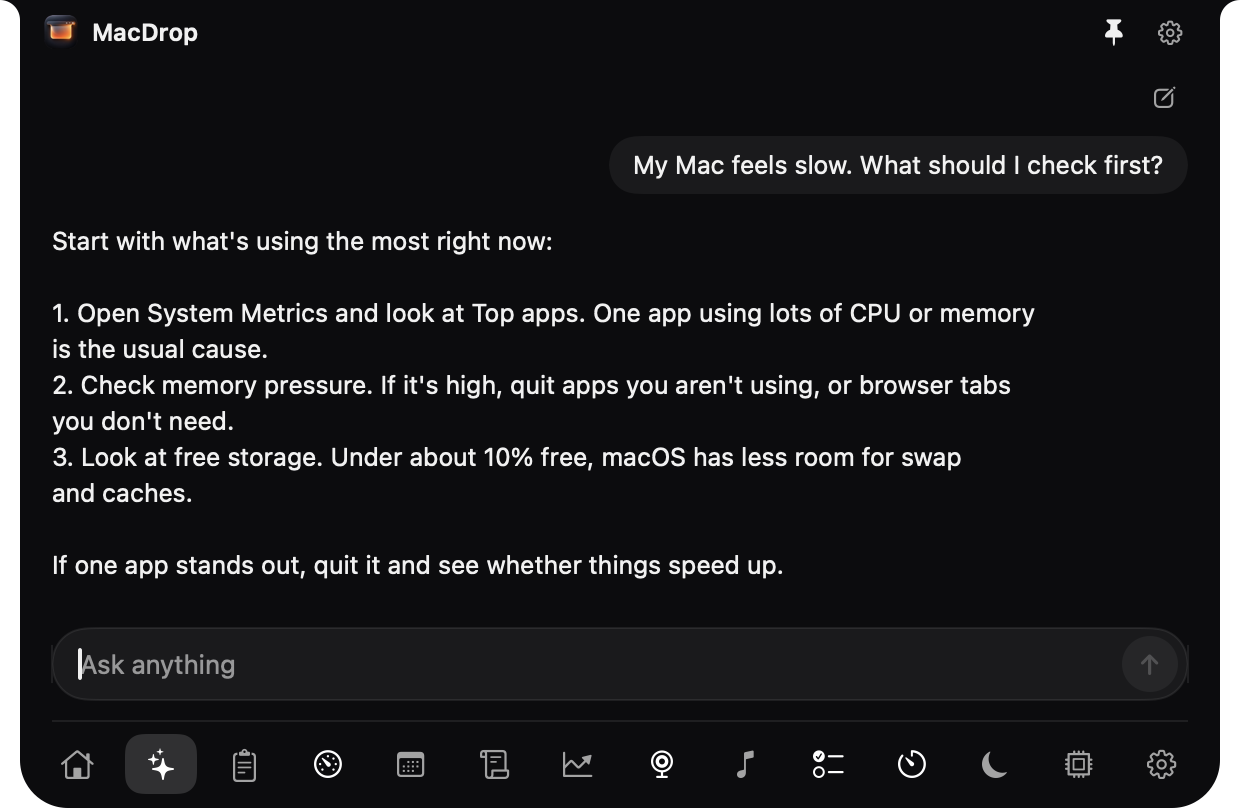
Ask MacDrop
A chat with Apple Intelligence that never leaves your Mac.
- Runs on the on-device model, so nothing you type is sent anywhere
- Opens with its own shortcut, from any app
Needs macOS 26 and a Mac with Apple Intelligence.
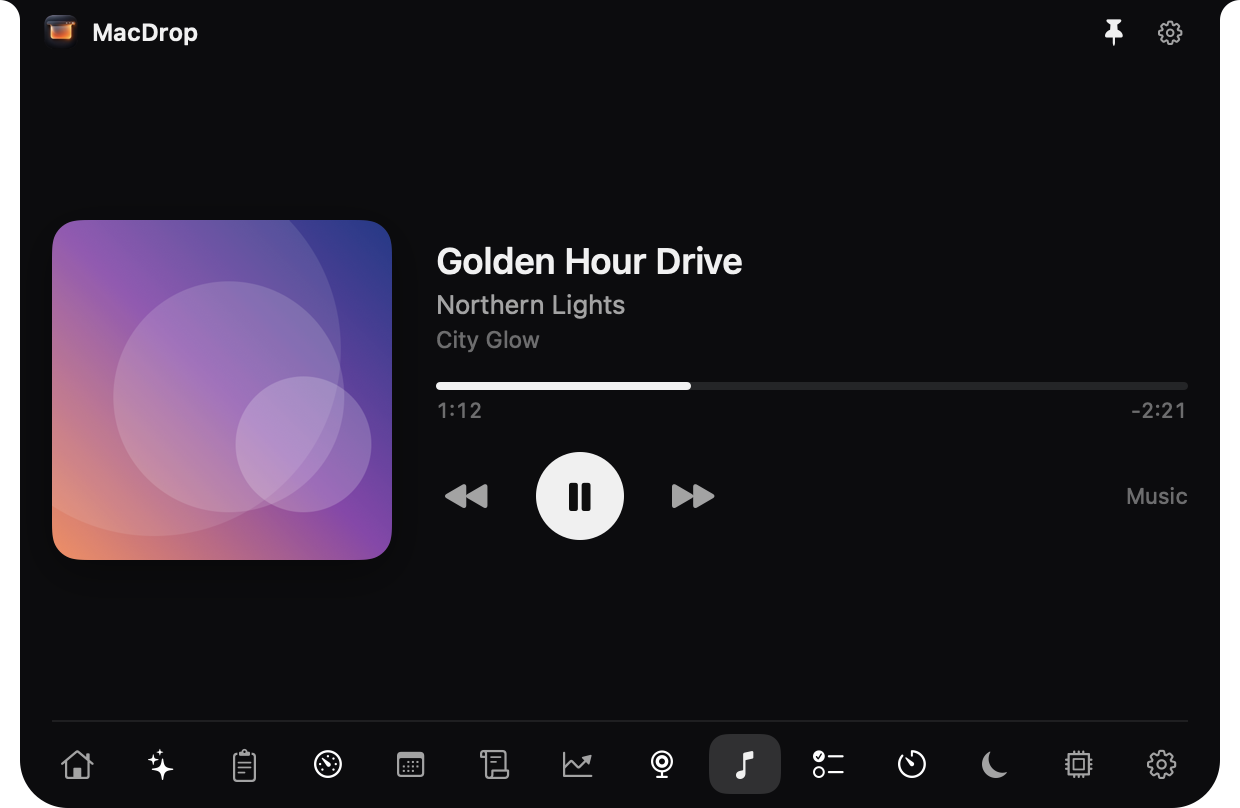
Music
What's playing, and the controls, without finding the app.
- Apple Music and Spotify
- Artwork, progress, play, pause, next and previous
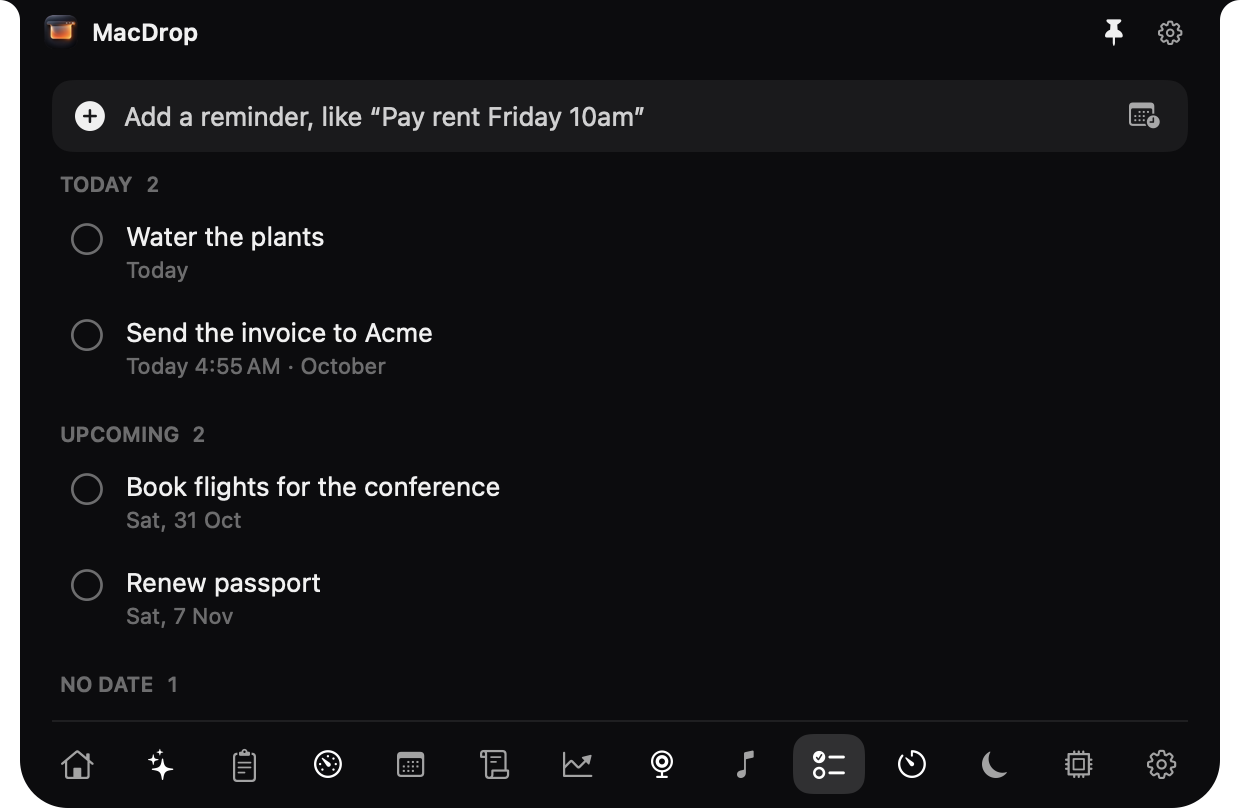
Reminders
Write it the way you'd say it.
- Dates in plain words: "call Sam tomorrow at 4"
- Notifications with Complete and Snooze
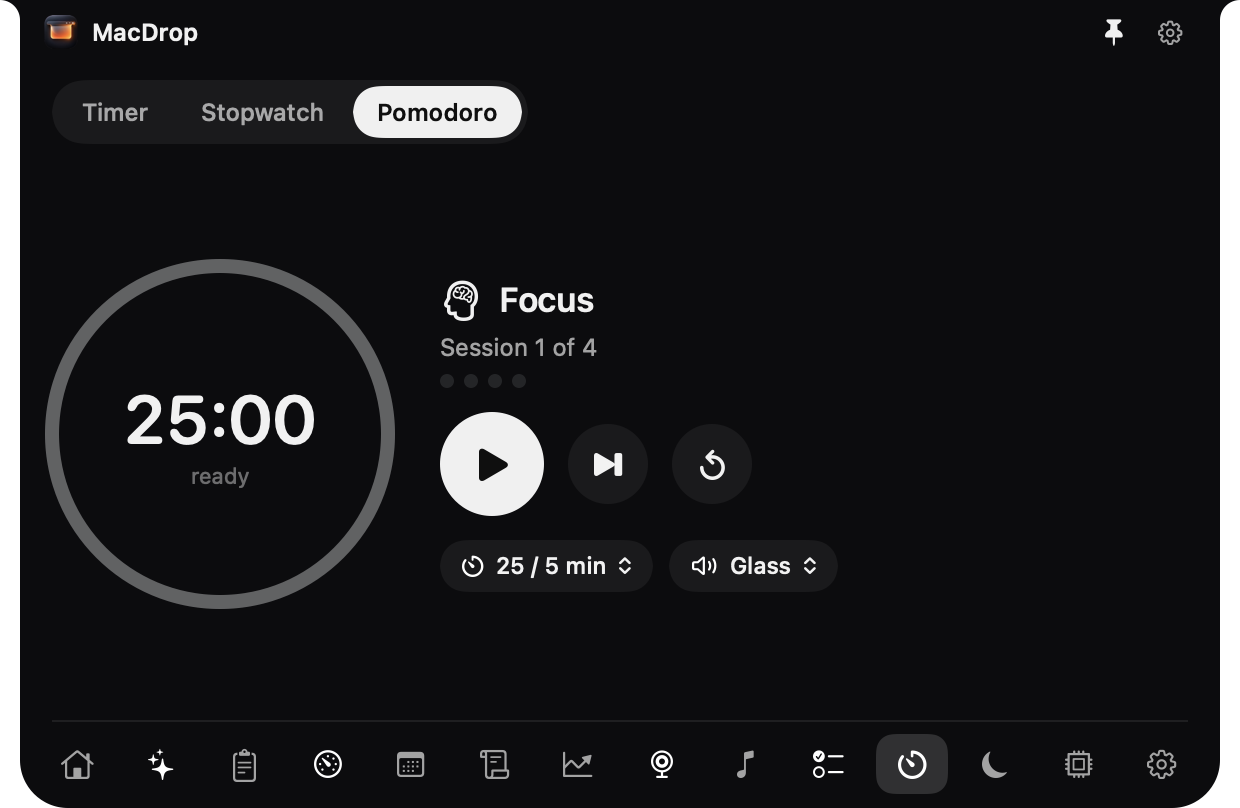
Timers
A timer, a stopwatch and Pomodoro, always one hover away.
- Countdown timers
- A stopwatch with laps
- Pomodoro focus and break rounds
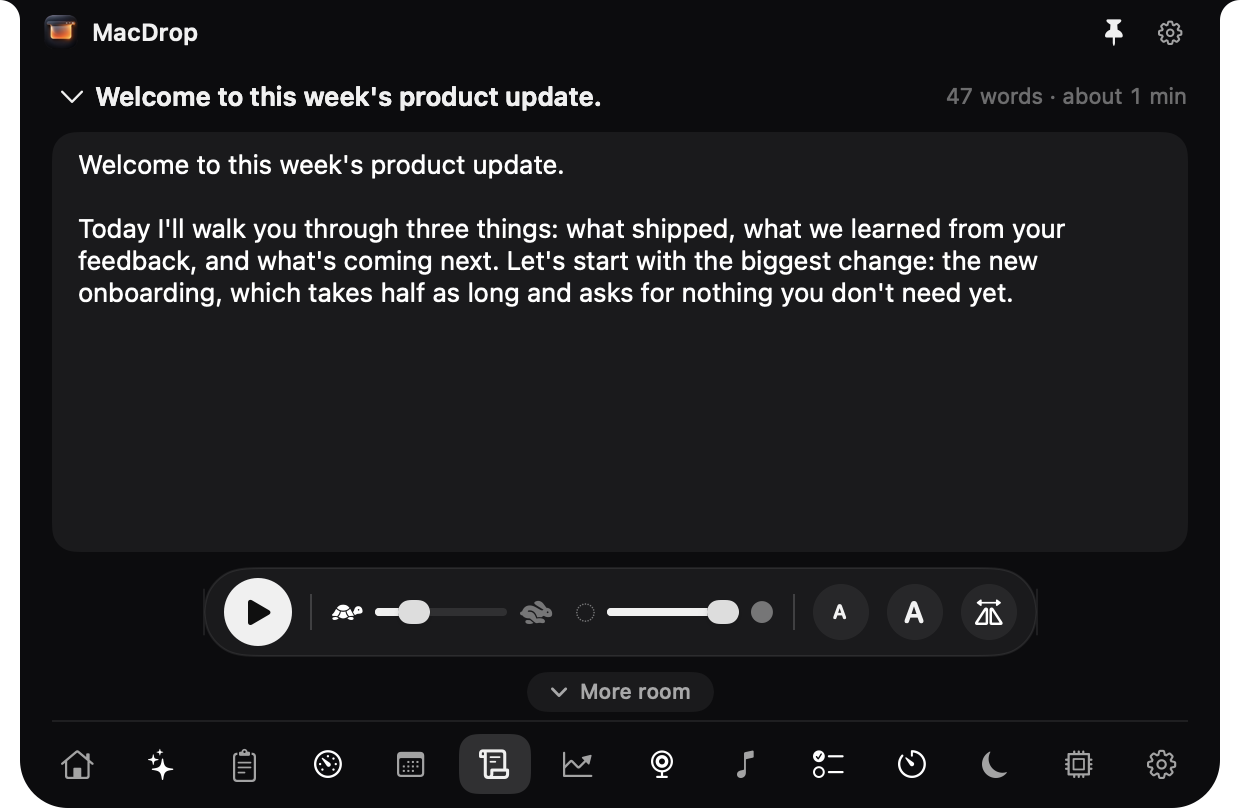
Teleprompter
Your script scrolls right under the camera, so you look at the lens.
- Saved scripts
- Speed, size and mirror controls
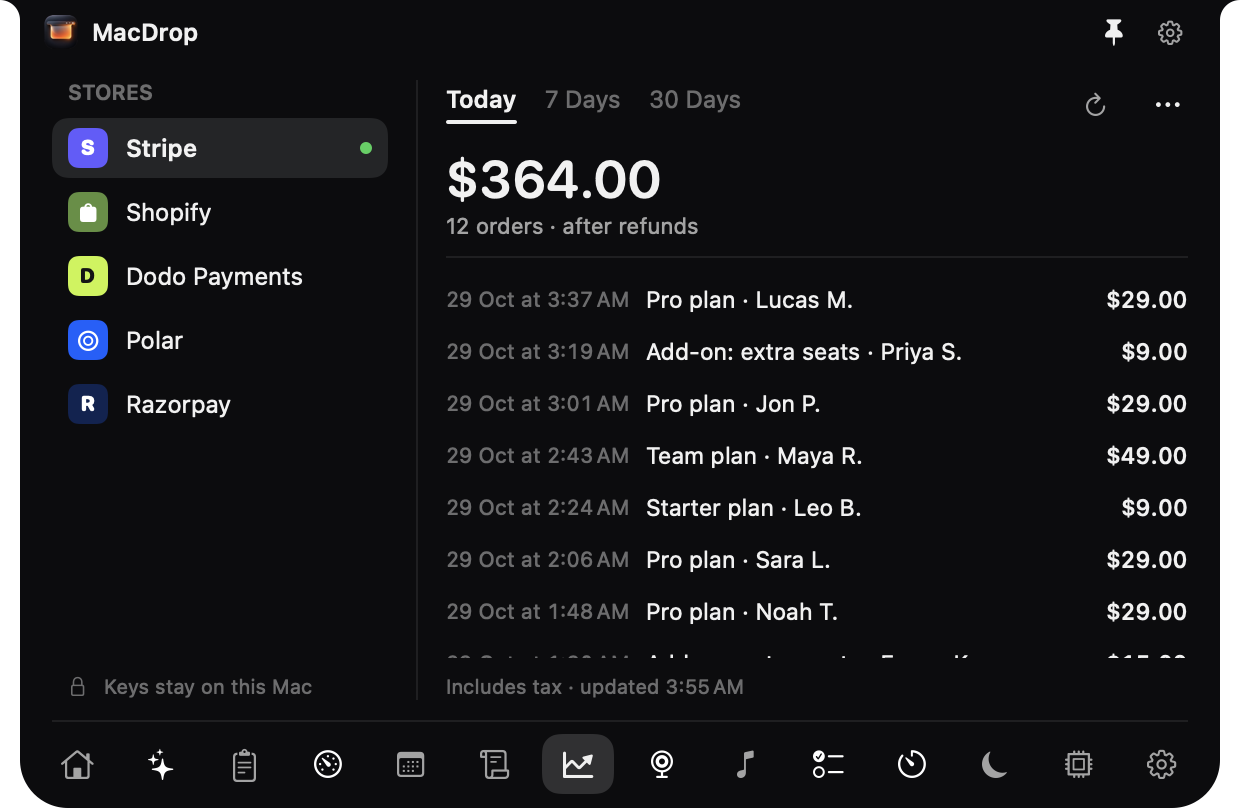
Sales
Today's revenue from your stores, at the top of the screen.
- Stripe, Shopify, Dodo Payments, Polar and Razorpay
- Read-only keys
Keys stay on your Mac and are only ever sent to the store they belong to.
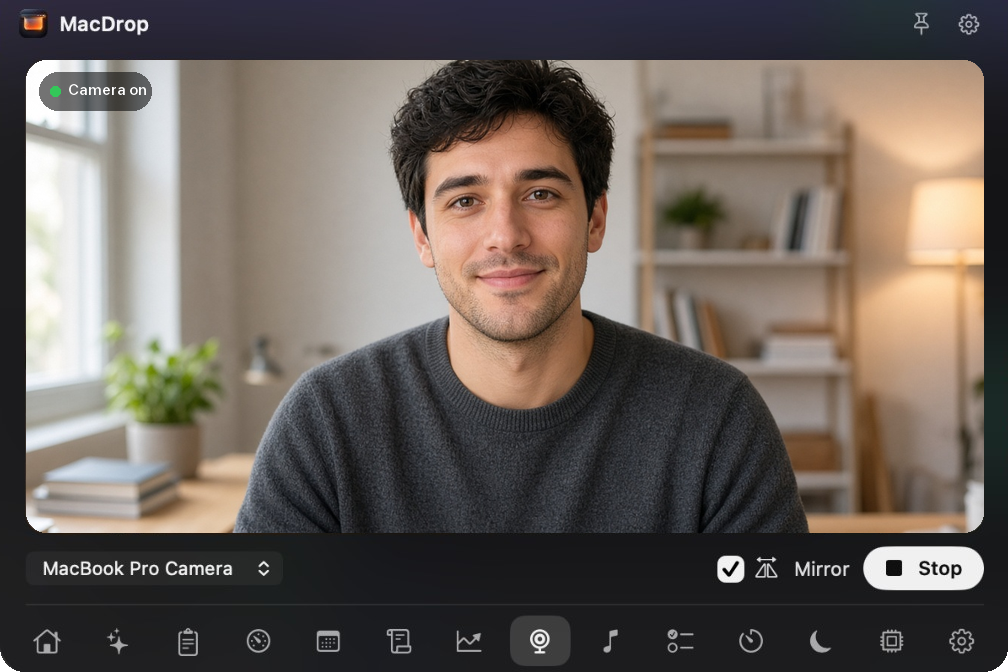
Camera
A mirror before the call starts.
- A live preview from your camera
It never records or saves anything.
The things you reach for all day, in one glance.
- The time, a greeting and live network speeds
- Wi-Fi, Bluetooth and Dark Mode switches, volume and the output device
- Up to 8 pinned files, apps or links, and your git projects with their branch and changes
Keep Awake
Close the lid. The work keeps going.
Leave Claude Code, Cursor, a build or a big download running and step away. MacDrop keeps your Mac awake for as long as you choose, then lets it sleep again.
- Claude Code
- Cursor
- Builds
- Big downloads
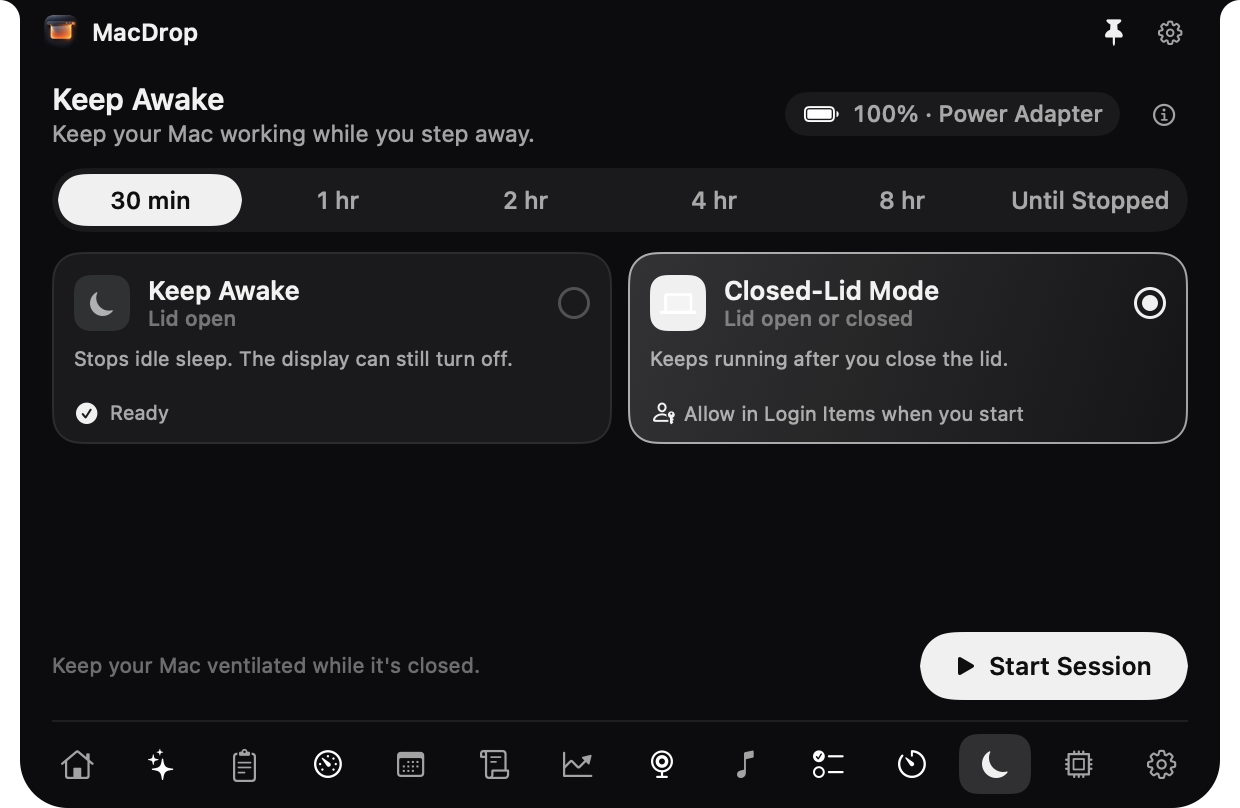
Keep Awake
For 30 minutes to 8 hours, or until you stop it. The display can still turn off; nothing to set up.
Closed-Lid Mode
Close the lid and walk away while a build, a download or an AI agent keeps running. A one-time setup you approve in System Settings.
Stops before the battery does
On battery, a session ends at your cutoff (20% unless you change it), and MacDrop asks first before a long one.
Stops if it gets too hot
A session ends on its own if your Mac reaches a critical temperature.
Sleep always comes back
When the session ends, MacDrop turns normal sleep back on, even if MacDrop quits or crashes, and never changes a setting you made yourself.
System Explorer
Know what your Mac is doing, and why.
A full window for when the panel isn’t enough: every reading, every app, and what changed over time. Open it from System Metrics, or with its own shortcut.
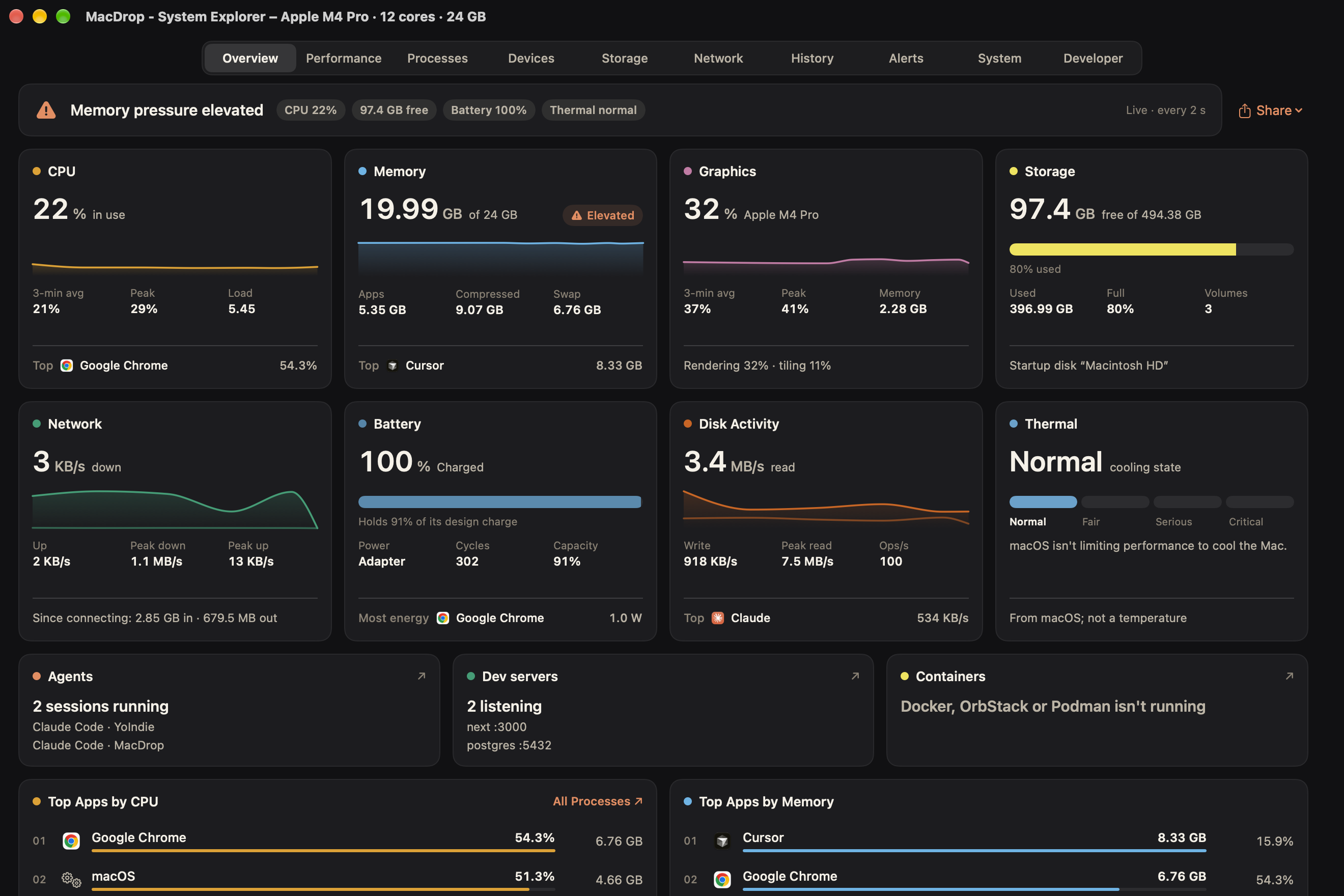
Everything, then the detail
Overview shows CPU, memory, disk, network, GPU, battery and sensors at a glance. Click a card for the whole section.
Who is causing it
Every app and process with its CPU, memory, disk and network, searchable, with a quit button when you need one.
Made for developers
Ports, dev servers and coding agents in one list, with what each one started, and Docker containers while an engine runs.
What happened earlier
History over hours and days, peaks and alerts when something runs hot. Export any of it as CSV or an image.
Always in view
Up to 8 live readouts in the menu bar, and a compact System Metrics tab in the panel.
Price
$10, once. Yours to keep.
Buy MacDrop
First-purchase price
$10USD · paid once
Tax included: this is what you pay, wherever you are.
- Secure checkout on the payment provider’s page
- License key and download by email
- No account needed
- $10
- Your first YoIndie appPaid by 31 December 2026, and we email you a YoIndie code.
- $1
- With your YoIndie codeFor MacDrop and every eligible YoIndie app. The code doesn’t expire.
- $25
- From 1 January 2027Or $5 if you already own a YoIndie app.
- Every tab and feature on this page
- A license key for one Mac, by email
- Updates from inside the app
- No account, no subscription
Currency, tax and refunds
- Prices are in US dollars, tax included. You can pay in your local currency, including by UPI in India: the payment page shows the converted amount, with a conversion fee of 2–4%, before you pay.
- Not working as described, and we can’t fix it? Email us within 14 days for a refund.
- Full details are in our Terms.
After you buy
Three steps, a few minutes.
Needs macOS 14 Sonoma or later, on Apple silicon or Intel. No account to make.
- 1
Check your email
Your license key and a Download button arrive within a minute. Nothing there? Check spam.
- 2
Install it
Open the download and drag Mac Drop into Applications.
- 3
Activate
Open it, paste your key, click Activate. Then hover at the top of your screen, or press ⌃⌥M.
macOS says “Mac Drop” Not Opened?
MacDrop isn’t notarized by Apple yet, so macOS asks you to confirm it the first time you open it. You do this once: updates install without asking again.
- 1Open Mac Drop from Applications. macOS says “Mac Drop” Not Opened. Click Done.
- 2Open System Settings, then Privacy & Security.
- 3Scroll down to Security. Next to “Mac Drop” was blocked, click Open Anyway.
- 4Enter your Mac's password, then click Open Anyway again.
Already bought it? Version 1.0.1. Your key is in your email.
Download 1.0.1FAQ
Good questions.
Something else? Email us.
Which Macs does it work on?
Any Mac with macOS 14 Sonoma or later, on Apple silicon or Intel. On a MacBook with a notch it opens from the notch, around the camera at the top of the screen; on other Macs and external displays it sits as a small pill in the middle of the menu bar. Ask MacDrop needs macOS 26 on a Mac with Apple Intelligence; everything else works without it.
How many Macs can I use it on?
One license is for one Mac. Replacing your Mac? Email us from the address you bought with and we'll move the license to the new one.
Is it a subscription?
No. You pay once and the license doesn't expire. Nothing renews.
How do updates work?
MacDrop checks for updates once a day and tells you when there is one, with what changed. Every update is signed, and it installs only when you say so. You can also check from Settings → General.
Does it need the internet?
Once, to activate. After that MacDrop checks its license on your Mac and works offline, with no account and no sign-in each time you open it.
What does MacDrop send, and where?
No analytics and no tracking. MacDrop contacts YoIndie only to activate, to check for updates and to send feedback you write. Ask MacDrop uses Apple's on-device model, so what you type stays on your Mac, and keys you add for Sales or OpenRouter are sent only to the service they belong to.
Does MacDrop read my clipboard all the time?
Only once you turn Clipboard on. Then it keeps what you copy on your Mac, and never keeps what password managers mark as private.
Can my AI coding assistant use it?
If you turn it on. A built-in MCP server lets Claude Code, Codex or Cursor read your Mac's state. It's off until you turn it on, and quitting an app always asks you first.